Building an Office Management Platform in 4 Months
  • Lead Designer
  • April – August 2017
  • User Interviews
  • Emotional Resonance Testing
  • Prototyping
  • Pricing Prioritization
  •  
T
his project entailed the creation of an office management platform within a stringent three-month timeframe, necessitating close collaboration across various teams, including Engineering, Product, Account Management, and Product Requisition.
Scope First. Everything Else Second.
Design Strategy
Before any design work started, we had to be explicit about what we were building and — more importantly — what we weren't. A four-month runway doesn't leave room for scope creep. We defined the core use cases, agreed on what was out, and held that line.

It's not a glamorous part of the process. But it's why the product shipped.
Understanding The Actual Workflow
User Research • Design Sprints
We ran design sprints with the full team — engineering, product, and a handful of real clients. The goal wasn't consensus for its own sake. It was getting everyone in the same room with the same information so that the decisions that followed were grounded in how offices actually operated, not how we assumed they did.
Designing Around the Real Use Case
Ux • UI • Visual Design
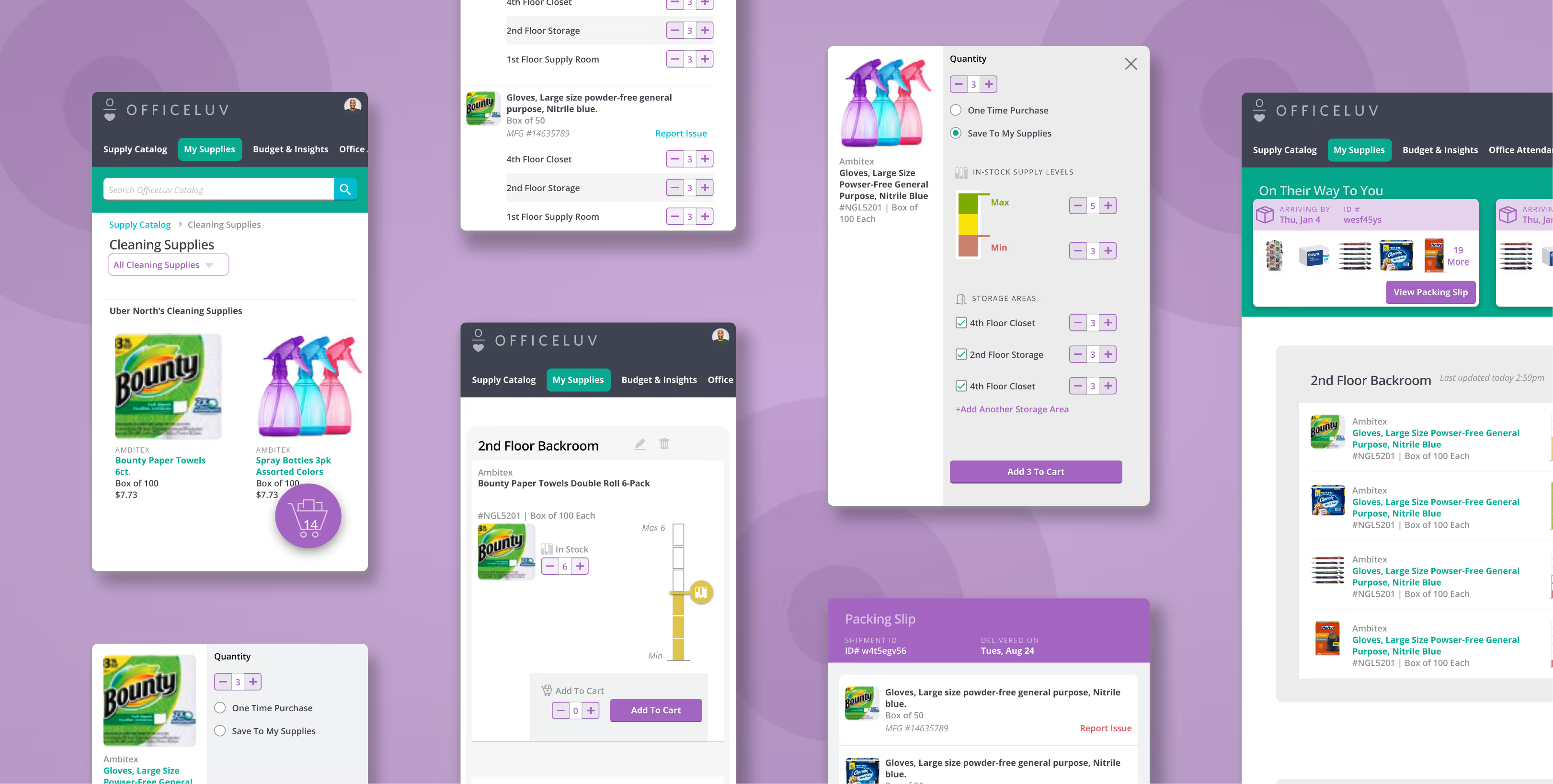
One of the more interesting calls: we cut prices from the cart entirely.

Standard e-commerce pattern says show the cart total. But office managers weren't using the cart to evaluate cost — they were using it to confirm they hadn't forgotten anything before submitting. The price wasn't relevant to their job in that moment. Showing it was just noise.

Cutting it made the interface faster and clearer. It also reinforced what the product actually was — not a shopping experience, but a management tool.
Two Users, Two Contexts
UX • UI • Visual Design
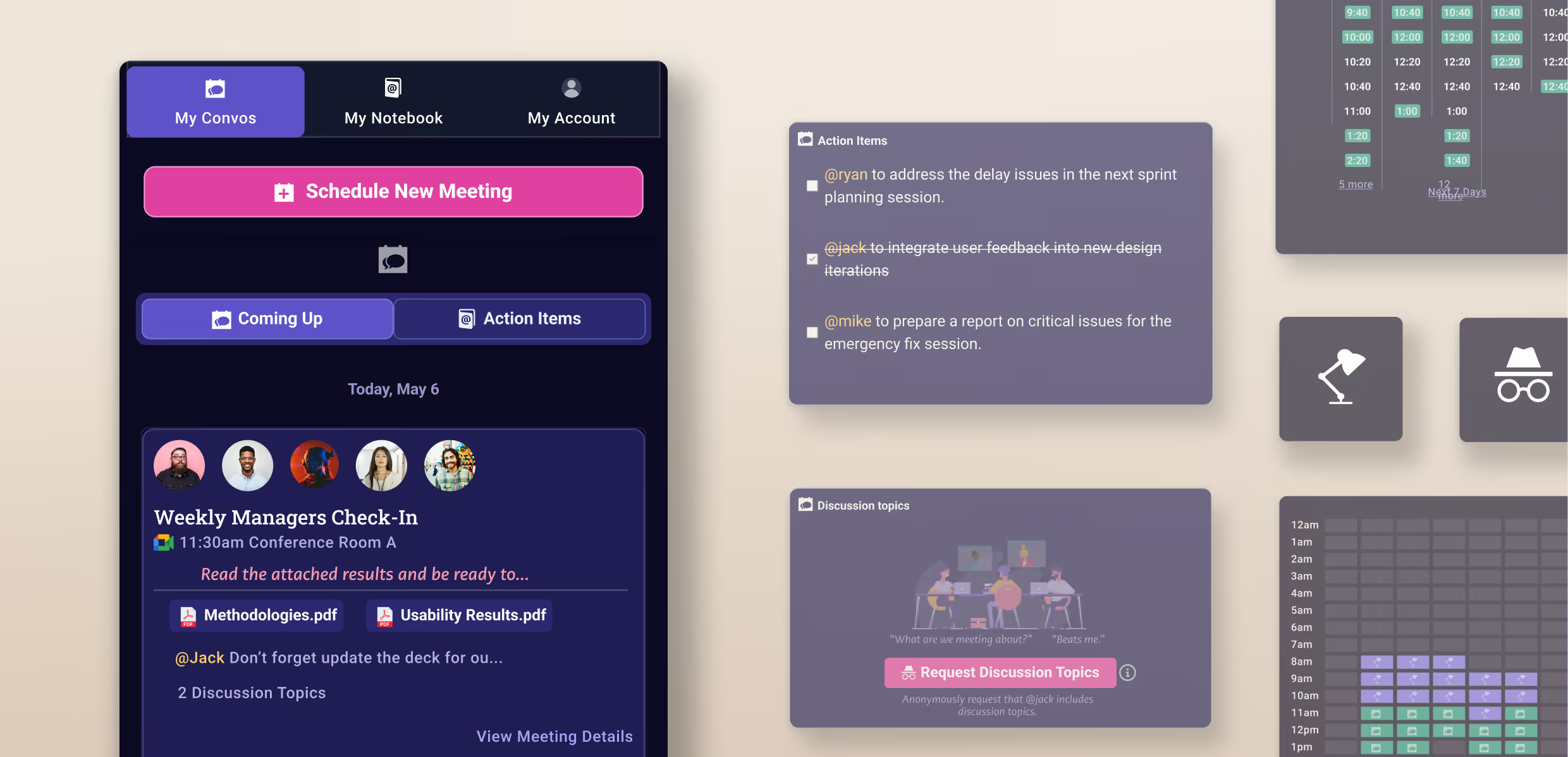
The supply management workflow had to serve two distinct people using it in two completely different situations.

Office Managers reviewed supply levels from their desks, looking across multiple locations at once. Office Attendants updated levels from their phones while walking the floor and taking inventory. Same underlying data. Completely different interface needs.

The mobile supply slider was designed specifically for one-handed use — no keyboard, no typing, just a physical gesture that matched the physical act of checking a shelf. The desktop layout prioritized breadth: multiple locations visible at once, approvals without drilling in.

Responsive design here wasn't just about screen size. It was about who was holding the device and why.
One Component, Two Jobs
UX • UI • Visual Design
A key value proposition of OfficeLuv was connecting supply-level management directly to reordering — so when something ran low, the path to restocking was already there. That required purchasing and supply management to coexist in the same UI without fighting each other.

The design components were built to carry both contexts. Reusable, consistent, and clear about which job they were doing at any given moment.
The Slider Was a Deliberate Mobile-First Decision
UX • UI • Visual Design
Office Attendants were updating supply levels while walking the floor — one hand on a clipboard or a box, one hand on their phone. Opening a keyboard to type a number wasn't going to work. The slider was designed specifically for that context: a thumb-friendly control that lets users adjust levels quickly without breaking their physical flow. The interaction came from watching how people actually moved through the job, not from what was easiest to build.
What Shipped
The platform launched on time, reached roughly 100 customers in early rollout, and handled the full office management workflow we'd scoped from day one. The design system and brand guidelines built during this project became the foundation for everything that followed at OfficeLuv.